

Why We Use Divi for Our Websites
Divi is a WordPress theme from Elegant Themes that includes a visual website builder. It lets you arrange text, images, buttons, videos, and other elements on a page without writing all the code yourself. You can choose your layouts, colors, and fonts, and create headers, footers, and blog post layouts.
We are an Elegant Themes affiliate and may earn a commission if you purchase through our link.
Why We Chose Divi
I used to build our websites by writing the code myself—HTML, CSS, JavaScript, PHP, and more. I tried other themes and then tried Divi. I liked that most of what we had been doing ourselves was already incorporated into the theme. Divi 4 was easy to use, and it was easy to teach others how to create their own blog posts.
Adding What We Need
We have grown since we started with Divi 4. There were functions that weren’t available in the theme, so we had to write our own CSS and PHP. The code was easy to implement.
We have the ability to use a child theme, which we do. We can edit our CSS and PHP code right in WordPress, and by using the child theme, our code does not intermingle with Divi’s code.
We also use plugins, but only the ones we need. On some of our sites and our clients’ sites, we have members, memberships, courses, and embedded videos.
Using Templates Throughout a Website
You can also use global templates to have a standard configuration for headers, footers, blog posts, search results, and more.
Our websites are beginning to look similar in areas such as the footers and blog posts because of the templates we use. For us, the reason for using templates is to reduce maintenance time. One update to shared content updates all the pages using it.
We use the same footer for all the pages and posts within a website. We have specified that the global header is used on pages, but not on posts or search results. We can choose where each template applies.
One Website for Different Devices
Divi also helps us build a responsive website. We can make adjustments for computers, tablets, and phones, all on one website. When we update the content, it’s available on all devices. We don’t have to maintain a separate website for each one.
Why We Are Moving to Divi 5
We are in the process of migrating our websites to Divi 5 because eventually the older version will no longer be supported. Currently, we have support for both versions.
We’re starting with our more simply configured websites. Thus far, the major part of the work has been updating content because it needed updating. To us, migrating and updating the content at the same time made sense. We could treat it as one project and get the project completed.
What Divi 5 Adds
On some of the websites we have migrated, we’ve found that we no longer need some of the CSS code we had added.
Divi 5 gives us more layout options, including Flexbox and CSS Grid. These give us more control over how we arrange content on a page. It also gives us more precise control over where a layout changes for different screen widths.
Variables and presets let us reuse colors, fonts, spacing, and styles throughout a website. When we change a shared setting, the elements using that setting change with it. That can save us from having to make the same adjustment in several places.
Divi 5 also has a rebuilt foundation and a faster Visual Builder. The speed of a finished website still depends on the hosting, images, plugins, and how we build it.
Each Website Is Different
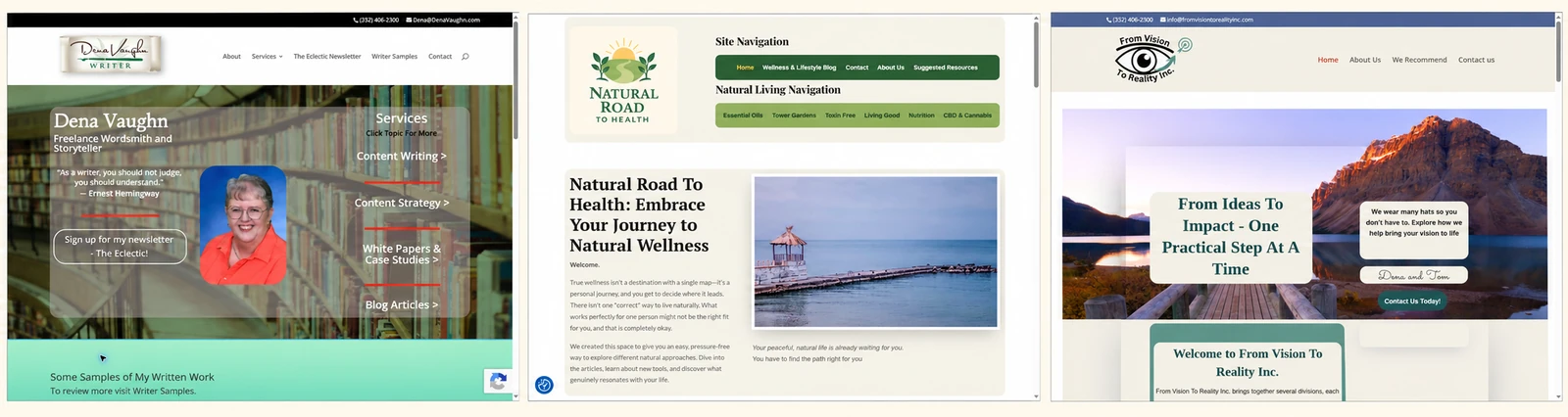
Each website is different. That’s another thing you can do with Divi—have a different layout and colors for each site. You can see examples of our different websites by reviewing our home page. There is a link for each one.
Divi provides diversity. It is your imagination that stops you.
Still Finding Things We Can Do
We’re still finding different things we can do with Divi. There is plenty of support, many videos, and many people using it. There’s more for us to learn as we continue working with it.
Tom & Dena
0 Comments